

You are now leaving our website and entering a third-party website over which we have no control.
How to revoke authorization for third-party apps you've provided with access to your TD account data
Third-party (non-TD) financial technology (fintech) apps and data aggregators may request your permission to share your TD bank account information to provide services that may help you manage your money, invest, borrow and send money.
Follow the steps outlined to revoke authorization for third-party apps for whom you've previously authorized to access your TD account data. To get started, log in to your EasyWeb account.
Step 1: Log in to EasyWeb and select My Profile & Settings
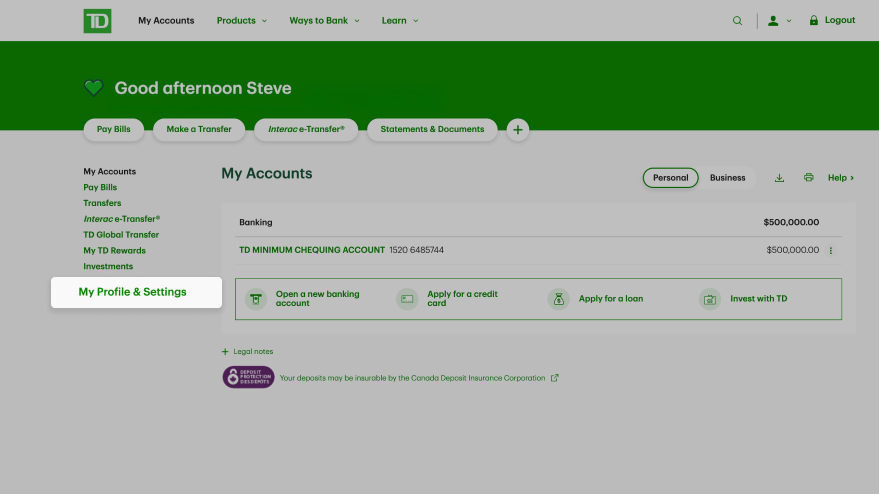
In the left-hand navigation menu, select My Profile & Settings.
Step 2: Revoke access
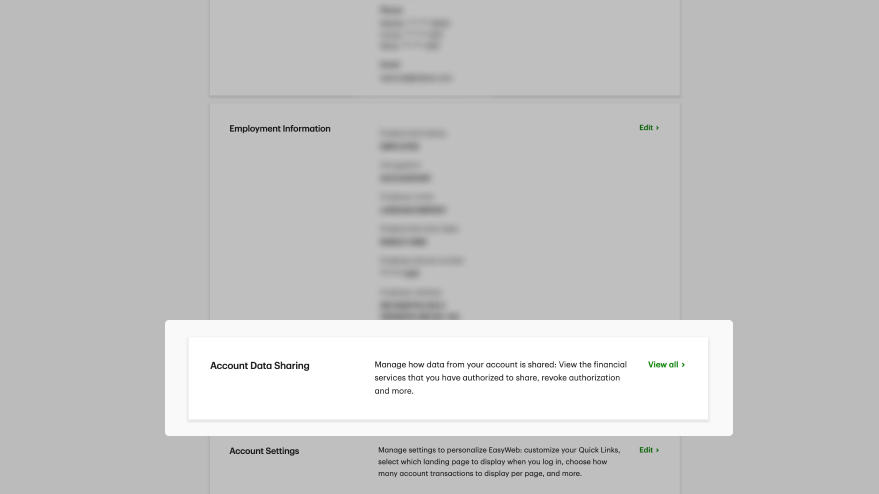
Select View all under Account Data Sharing.

The Your Account Data Sharing page will show the list of all financial services that have access to TD accounts.
You can either tap the ‘Delete’ icon next to the name of the third-party app or tap on the name of the third-party app and hit ‘Revoke Authorization’.
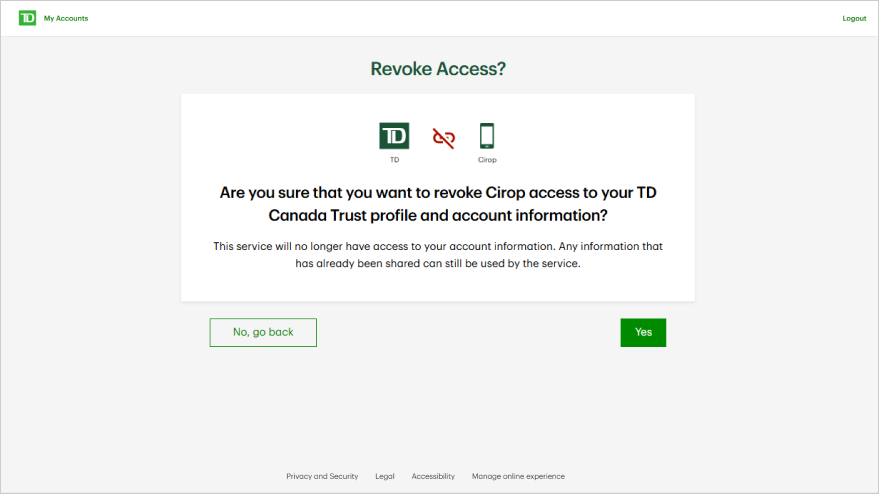
Confirm revocation or simply go back to previous screen.

If you haven’t granted access to any third-party apps, a message will be displayed confirming this.
Congratulations! You've completed this tutorial.